Primary job
Identify and learn conventional UI and UX pattern names from screenshots.
CatchUI is a bilingual web app that turns interface screenshots into UI vocabulary lessons. It identifies recognizable patterns, explains the evidence behind each label, and connects results to a curated learning catalog.
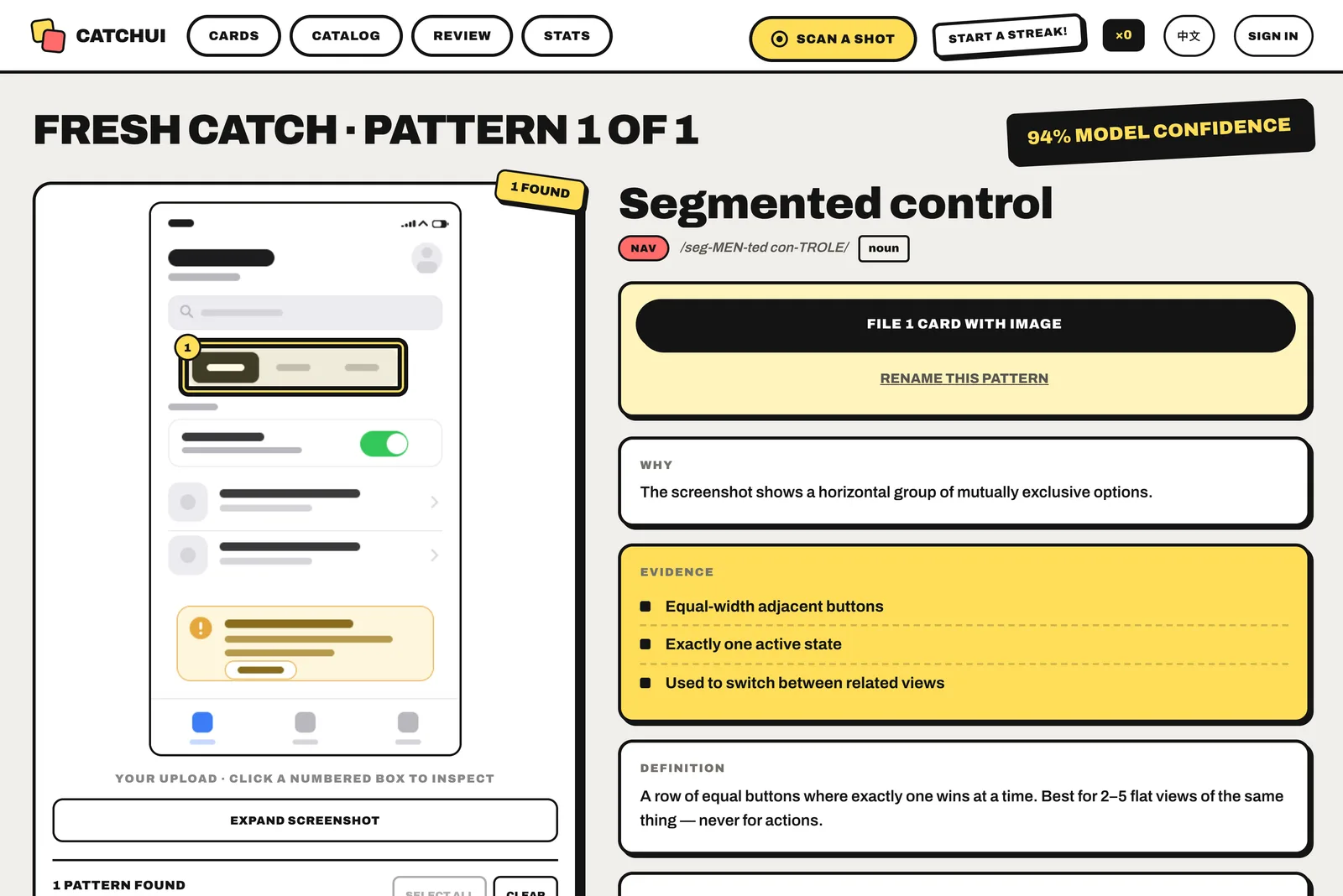
Identify and learn conventional UI and UX pattern names from screenshots.
Design students, career-switchers, product managers, developers, and working designers.
English and Simplified Chinese across the interface and curated definitions.
94 curated patterns spanning navigation, input, action, overlay, feedback, content and data, plus the phone and computer system UI around apps and the parts of a website.
Use an app, website, or dashboard screenshot, or open the built-in sample.
Model-assisted recognition finds one or more visible patterns and explains the evidence for each label.
Open the linked catalog card for the proper name, definition, related patterns, and usage tradeoffs.
Save useful cards and screenshot examples to a personal Library, then review them with spaced repetition.
CatchUI is not a screenshot-to-code generator, design-cloning service, or generic inspiration gallery. It is a vocabulary and learning tool.
Not sure whether an element is a tab bar, segmented control, bottom sheet, toast, or something else? Read the practical guide to identifying UI patterns in screenshots, then compare the result with the curated catalog.
A bilingual UI vocabulary app that identifies recognizable interface patterns in screenshots and teaches their conventional names and purposes.
Yes. A result can contain multiple recognizable patterns, each with its own label, visible evidence, confidence, and screenshot region.
No. CatchUI identifies and explains interface patterns; it does not recreate an interface or turn the screenshot into code.
Yes. The catalog and built-in sample are public. Screenshot scans are subject to free or paid-plan quotas.
No. Recognition is model-assisted and can make mistakes. The teaching catalog is curated, and detected names can be corrected.
The interface and curated pattern definitions are available in English and Simplified Chinese.
The catalog and built-in sample are free without sign-up. Anonymous visitors can run up to 3 screenshot scans per day, a free account includes a 30-scan pool, and CatchUI Pro is $6/month or $60/year with 300 scans per day.
CatchUI is operated from Hong Kong. Product, privacy, account, and takedown questions can be sent to support@catchui.com.
Facts on this page last verified: 2026-08-03.