1
Catch it
Point the camera at an interface or pick a screenshot. CatchUI marks the regions it matched.
CatchUI for iPhone is an app for designers, developers, product managers and students who know what an interface element does but not what it is called. It identifies the UI patterns in a camera capture or a screenshot, explains each one, and keeps what you find as cards to review.
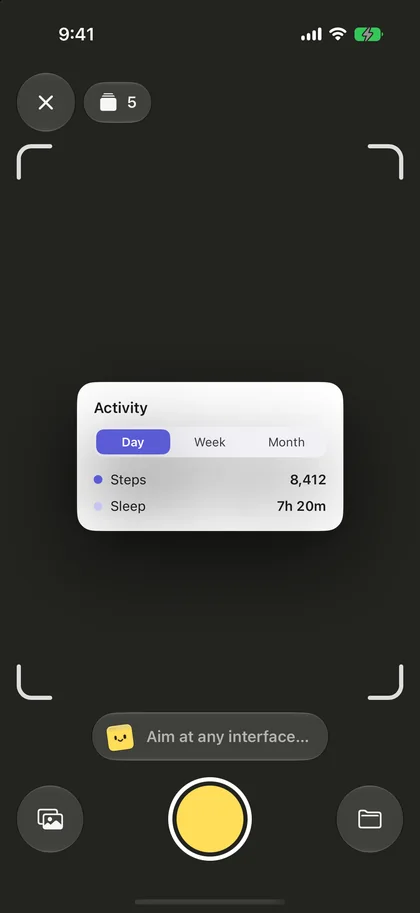
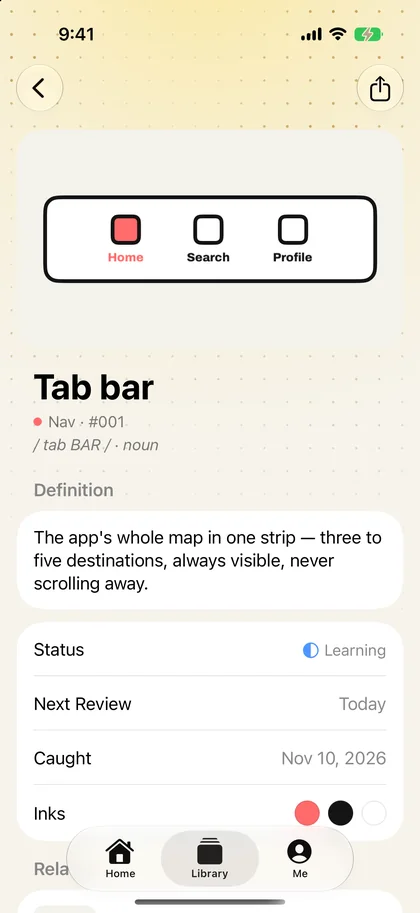
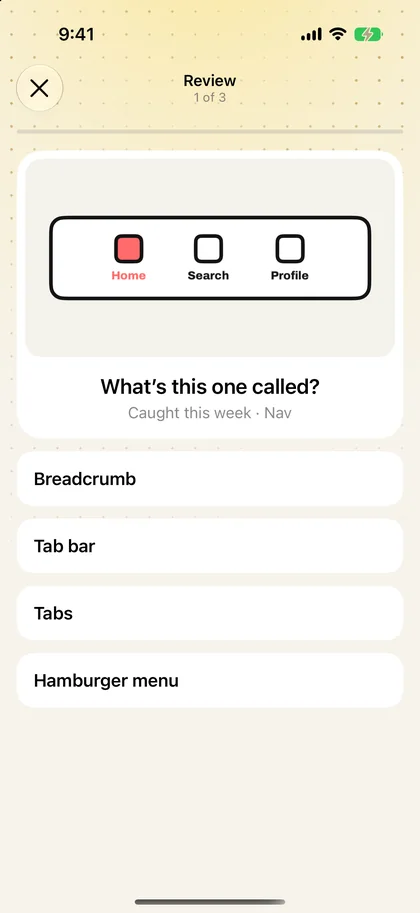
Point the camera at an interface or pick a screenshot. CatchUI marks the regions it matched.
Every match comes with its proper term, a plain-language definition, the visible evidence and a confidence level. Rename a pattern when the first label is not right.
File useful discoveries as cards in a library on your iPhone, with the screenshot example, your notes, related patterns and a history of sightings.
Practice with spaced repetition: a quick quiz of the cards that are due. Widgets bring Today’s Hunt and the cards due to your Home Screen and Lock Screen.
Scans recognize 94 UI patterns: navigation, input, action, overlay, feedback, content and data patterns, and the parts of phone, computer and website screens. The Starter Pack holds 40 essential patterns, each locked until you catch it in a real interface; the rest become cards in your Library. The same names, with definitions and drawn examples, are in the free UI pattern catalog on this website.
Cards, photos, notes and review history are saved on the device. There is no account and no sign-in.
Before remote recognition, the app asks for permission to send a compressed capture to catchui.com, which uses Anthropic’s Claude, a third-party AI service, to read it. The capture is not stored.
Scanning needs that permission. Without it, nothing leaves your iPhone, and you can withdraw it anytime in the Me tab.
The privacy policy says what the app handles and where it goes.
CatchUI for iPhone is free to download. Every iPhone gets 3 free scans, with no account. CatchUI Pro, an optional auto-renewing subscription (monthly or yearly), gives you 300 scans a day; it is bought in the app, and Apple bills it to your Apple Account. Help with purchases is on the support page.
| Name | CatchUI |
| Platform | iPhone (iOS) |
| App Store category | Graphics & Design; Education |
| Age rating | 4+ |
| Price | Free, with an optional in-app subscription (CatchUI Pro) |
| Account | None needed |
| Recognizes | 94 UI patterns; Starter Pack of 40 |
| Availability | Coming soon to the App Store |
| Maker | CatchUI, an independent developer in Hong Kong · support@catchui.com |
CatchUI is a vocabulary and learning tool, not a screenshot-to-code generator or a design-cloning service. Remote recognition is model-assisted and can make mistakes; you can correct detected names.
Yes: CatchUI for iPhone. Point the camera at an interface or pick a screenshot, and it names the UI patterns it recognizes, such as a tab bar, a bottom sheet, a segmented control or a toast, with a plain-language definition and the visible evidence for each. It is coming soon to the App Store.
You scan an app, a website or any screen with the camera, or pick a screenshot. CatchUI marks the regions it matched and gives each one its proper term, a definition, the evidence and a confidence level. You can rename a pattern when the first label is not right, save it as a card, and review your cards later with a spaced-repetition quiz.
It is free to download, and every iPhone gets 3 free scans without an account. CatchUI Pro, an optional auto-renewing subscription (monthly or yearly) bought in the app through Apple, gives 300 scans a day.
No. The app has no sign-in. Your cards, photos, notes and review history are kept on your iPhone.
Only if you agree. Before any capture leaves the iPhone, the app asks for permission and says where it goes: a compressed copy is sent to catchui.com, which passes it to Anthropic’s Claude, a third-party AI service, to be read, and does not store it. Scanning needs that permission: nothing leaves the iPhone without it, and you can withdraw it anytime in the Me tab.
Scans recognize 94 patterns: navigation, input, action, overlay, feedback, content and data patterns, and the parts of phone, computer and website screens. The Starter Pack holds 40 essential patterns, each locked until you catch it in a real interface; the rest become cards in your Library.
No. Remote recognition is model-assisted and can make mistakes; you can correct a detected name in the app.
No. CatchUI is a vocabulary and learning tool: it names and explains interface patterns. It is not a screenshot-to-code generator or a design-cloning service.
No. The app is for iPhone. The CatchUI website, a free catalog of 98 UI element names with a describe-it search, works in any browser.
It is coming soon to the App Store. This page will link to it when it is out.
The names are already on the web. Describe an element in your own words on the home page, browse the catalog of 98 UI patterns, or read how look-alike elements differ. And for why the names matter when an AI agent writes your interface, read UI vocabulary for the age of AI agents.
Facts on this page last verified: 2026-11-22.