Time picker
/TYME PIK-er/ · noun · INPUT pattern · #137
The control for setting a time of day without typing it: a clock face you drag a hand around on Android, spinning hour and minute wheels on iPhone, or hour and minute boxes in a web form. It shows 12-hour time with AM and PM or 24-hour time depending on the user’s region, and often comes paired with a date picker when both are needed, as for a booking or a reminder.
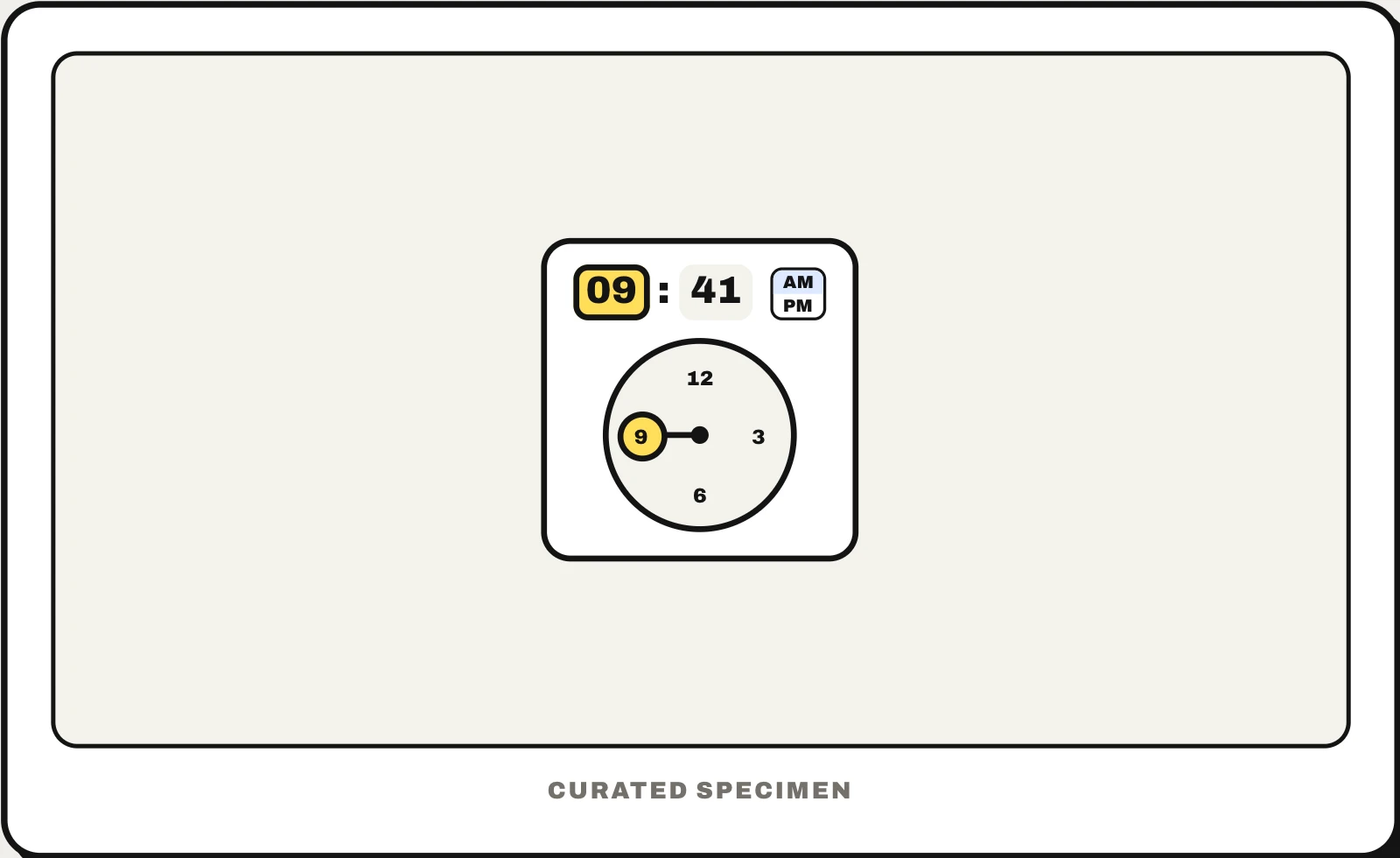
Also called: time selector, time input, clock picker, date time picker.
You might call it
- “the clock for choosing a time”
- “the spinning hour and minute wheels”
- “the hour and minute selector”
- “the clock face for setting an alarm”
- “the time selector in a booking form”
…its name is Time picker.
Common questions
What is a time picker?
A control for choosing a time of day, such as 9:41 AM, by tapping or scrolling instead of typing. Android’s is a clock face: you drag the hand to the hour, then to the minutes. iPhone apps often use spinning wheels, and web forms use <input type="time">, which shows hour and minute boxes. Good ones also accept typed times and use the region’s 12- or 24-hour format.
What is a date time picker?
One control that sets a date and a time together, for a meeting, a booking or a reminder. SwiftUI’s DatePicker shows both unless you limit it, HTML has <input type="datetime-local"> and MUI X has DateTimePicker. Android and Jetpack Compose have no combined picker, so apps show the date picker and then the time picker; in Flutter only the iOS-style CupertinoDatePicker does both.
What is a time picker in Android?
The Material Design dialog for setting a time: a clock dial where you drag the hand to the hour and then to the minutes, with AM and PM buttons in 12-hour time and a keyboard icon to type the numbers instead. In code it is MaterialTimePicker in Android Views and TimePicker or TimeInput in Jetpack Compose; the old android.app.TimePickerDialog works too.
In code
| SwiftUI | DatePicker displayedComponents: .hourAndMinute |
|---|---|
| UIKit | UIDatePicker datePickerMode = .time |
| Jetpack Compose | TimePicker TimeInput rememberTimePickerState() |
| Android (Views) | MaterialTimePicker TimePickerDialog |
| Flutter | showTimePicker() TimeOfDay CupertinoDatePicker |
| Web (HTML) | <input type="time"> <input type="datetime-local"> The browser draws the picker; 12- or 24-hour display follows the user’s locale, not your markup |
| React (MUI X) | TimePicker DateTimePicker |
Prompt for your AI coding tool
Add a time picker to this field: tapping it opens hour and minute selection, a clock dial or scrolling columns, with a sensible default time, 5- or 15-minute steps when exact minutes do not matter, and the user’s 12- or 24-hour format with a clear AM/PM choice. Typing the time directly must also work, times outside the allowed range are disabled, and the picker is fully usable with a keyboard and a screen reader (an <input type="time"> on the web is acceptable).
More UI words to use when vibe coding →