Timeline
/TYME-lyne/ · noun · CONTENT pattern · #122
Events in time order along a line, each a dot with a short title and a date: a parcel going from ordered to delivered, an account’s activity, a project’s milestones, a company’s history. Filled dots have happened; hollow ones are still to come. Unlike a stepper, it records what happens rather than waiting for you to do the next step.
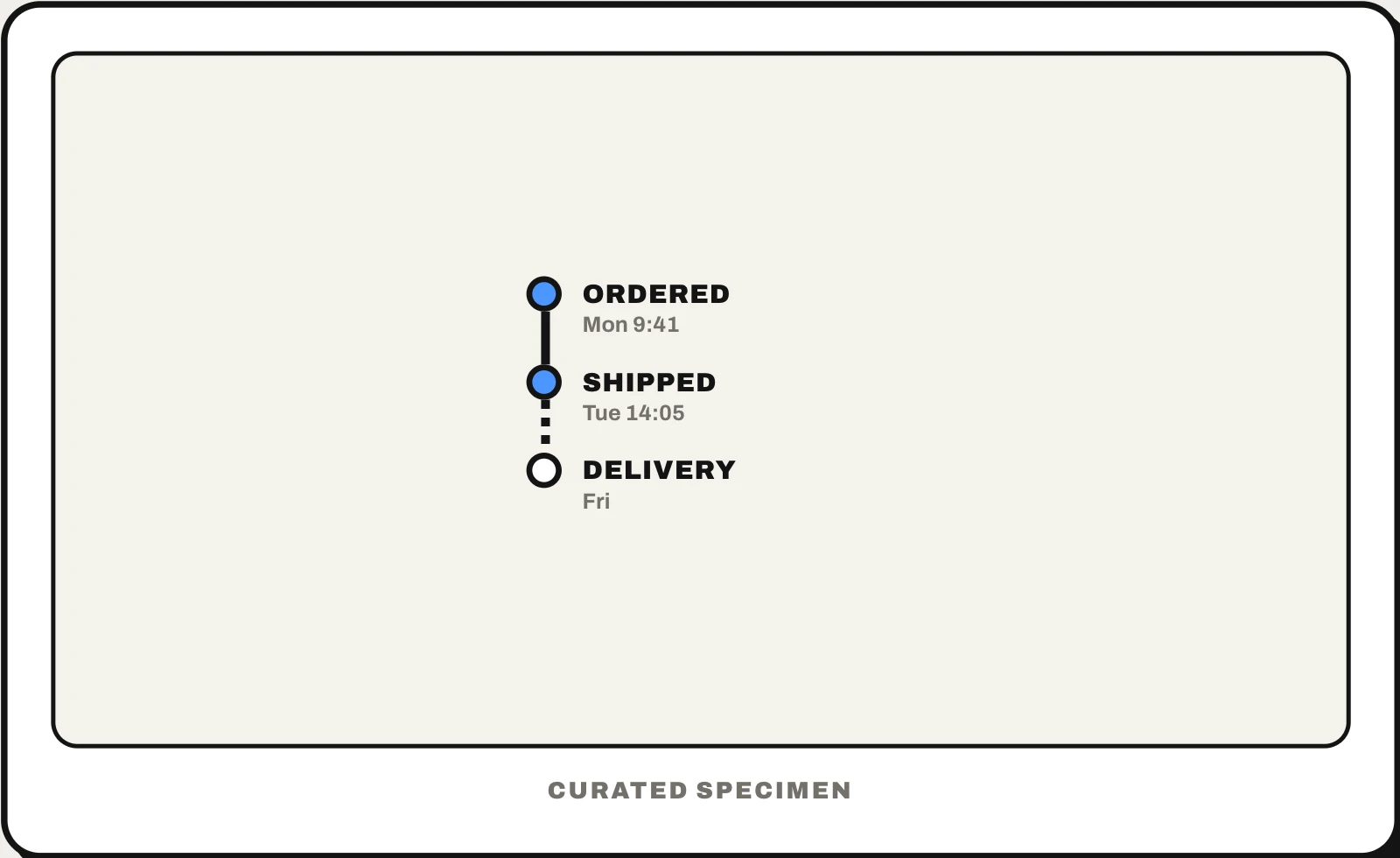
Also called: timeline UI, vertical timeline, activity timeline, timeline component, event timeline, order timeline.
You might call it
- “the line of dots showing where my order is”
- “the order tracking steps”
- “the activity history with dates”
- “the vertical line with dots and dates”
- “the project history on a line”
…its name is Timeline.
Common questions
What is a timeline in UI design?
A list of events in time order drawn along a line, each with a dot, a title and a date, such as order tracking, account activity, version history or project milestones. It answers “what happened, and when?”. Keep titles short, show exact dates as well as “2 days ago”, and make clear which end is the newest.
Vertical timeline vs horizontal timeline: which should you use?
Vertical for most interfaces: it scrolls the way pages do, fits phones, and leaves room for a title and details beside each dot. Horizontal suits a handful of milestones on a wide screen, a roadmap, or a scrubber you drag along in a video or audio editor. If a horizontal timeline would need sideways scrolling, turn it vertical.
In code
| Web (HTML) | <ol> <time datetime> |
|---|---|
| React (MUI Lab) | Timeline TimelineItem TimelineDot TimelineConnector |
| Ant Design | Timeline |
| iOS / Android / Flutter | No timeline component: a list whose rows draw a dot and a connecting line. SwiftUI’s TimelineView is unrelated: it redraws a view on a schedule |
Prompt for your AI coding tool
Show this history as a vertical timeline: an ordered list that runs one way (newest first for activity, oldest first for tracking), each event a dot on a continuous line with a short title, a relative time such as “2 hours ago” in a <time datetime> holding the exact date, and optional details underneath. Fill the dots of events that happened, draw upcoming ones hollow on a dashed line, group long histories by day, and keep the line and dots decorative so screen readers just read the list.
More UI words to use when vibe coding →