Tree view
/TREE vyoo/ · noun · DATA pattern · #123
A list that opens like folders: an item with children has an arrow (▸) that expands it to show what is inside, indented one level deeper, and collapses it again (▾). The folder pane of a file manager, the file list of a code editor and the mailbox list of an email app use it to show a hierarchy without showing everything at once.
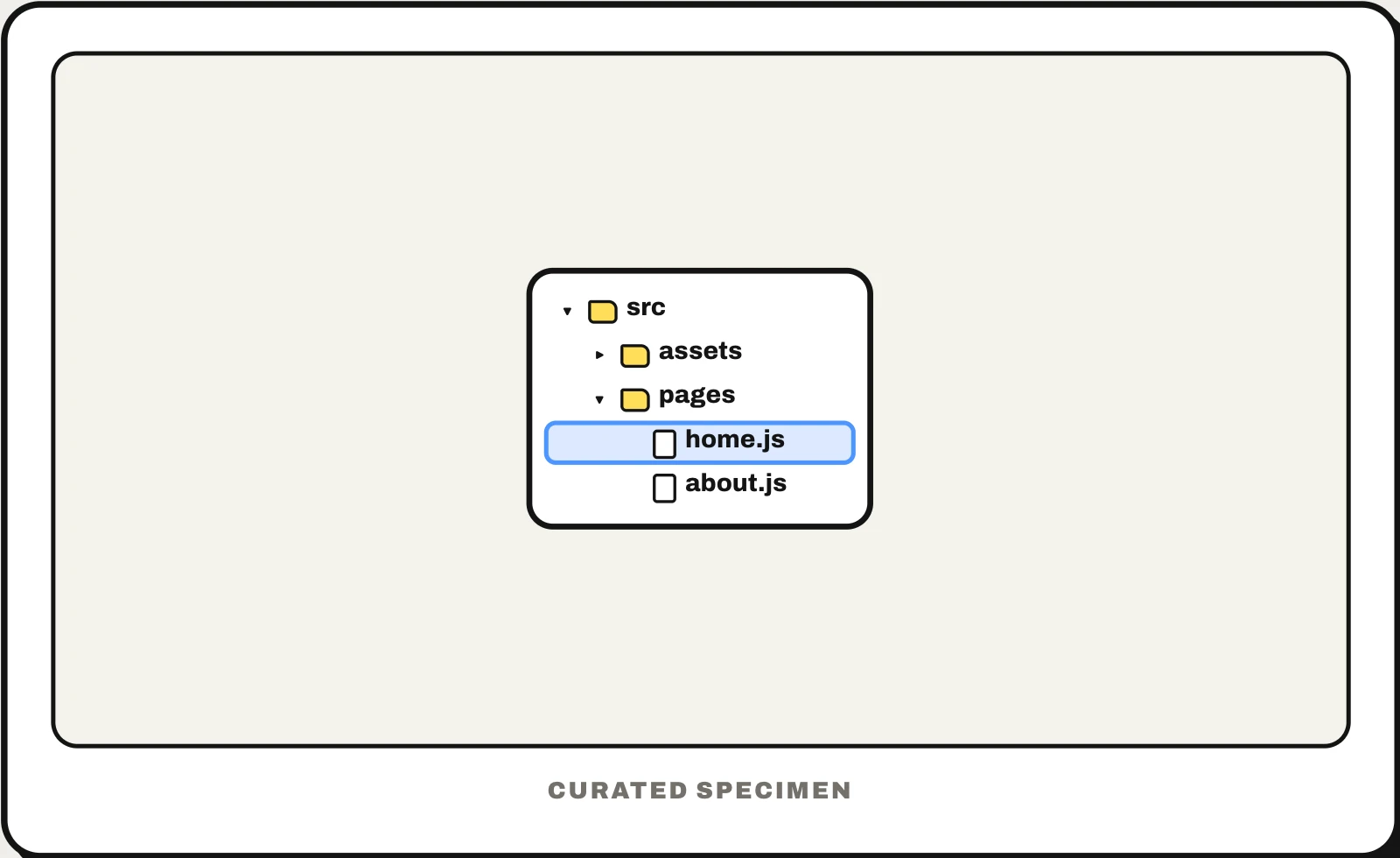
Also called: treeview, tree view UI, file tree, directory tree, folder tree, tree control.
You might call it
- “the folder list with little arrows”
- “the expandable file list in the sidebar”
- “the nested list you can open and close”
- “the file tree in a code editor”
- “the folders on the left in File Explorer”
…its name is Tree view.
Common questions
What is a tree view?
A control that shows a hierarchy as a list you can expand: items with children have an arrow, and opening one shows its children indented below. The folder pane in Windows File Explorer, the file list in VS Code and the folder list in an email app are tree views. Mac apps usually call the same thing an outline view.
What is a file tree?
The folders and files of a drive or project drawn as a tree view: each folder can be opened to show what is inside, indented under it. Code editors show the project’s file tree in a sidebar, and a text version with lines (├── src) is common in README files and AI chats to show a project’s structure. It is also called a directory tree.
Tree view vs list view: what is the difference?
A list view shows the items of one place as a flat list, such as the files in the current folder. A tree view shows the hierarchy: folders inside folders, each one opening in place. File managers put them side by side, with the tree of folders on the left and the list of the selected folder’s contents on the right.
In code
| Web (ARIA) | role="tree" role="treeitem" role="group" aria-expanded |
|---|---|
| Windows (WinUI) | TreeView TreeViewNode |
| macOS (AppKit) | NSOutlineView |
| SwiftUI | OutlineGroup List(_:children:) |
| UIKit | NSDiffableDataSourceSectionSnapshot UICellAccessory.outlineDisclosure |
| React (MUI X) | SimpleTreeView RichTreeView TreeItem |
| Android / Compose | No tree component: indent rows in a LazyColumn and show or hide each row’s children |
Prompt for your AI coding tool
Show these folders as a tree view: each row has a chevron if it has children, an icon and a name, indented one step per level. Clicking the chevron, or the Right and Left arrow keys, expands and collapses; Up and Down move between visible rows, Home and End jump to the first and last, and typing a letter jumps to the next match. Remember which branches are open, load big branches on demand with a loading row, and use role="tree", role="treeitem" with aria-expanded on rows that have children, and role="group" around each set of children.
More UI words to use when vibe coding →