Ghost button
/GOHST BUT-n/ · noun · ACTION pattern · #124
A see-through button: a transparent fill with a thin outline and a label in the outline’s colour, so the photo or colour behind it shows through. It sits beside a solid primary button as the second choice (Sign up / Log in) or over a hero image. Many design systems call this an outline button and keep “ghost” for one with no border at all, which shows a background only on hover.
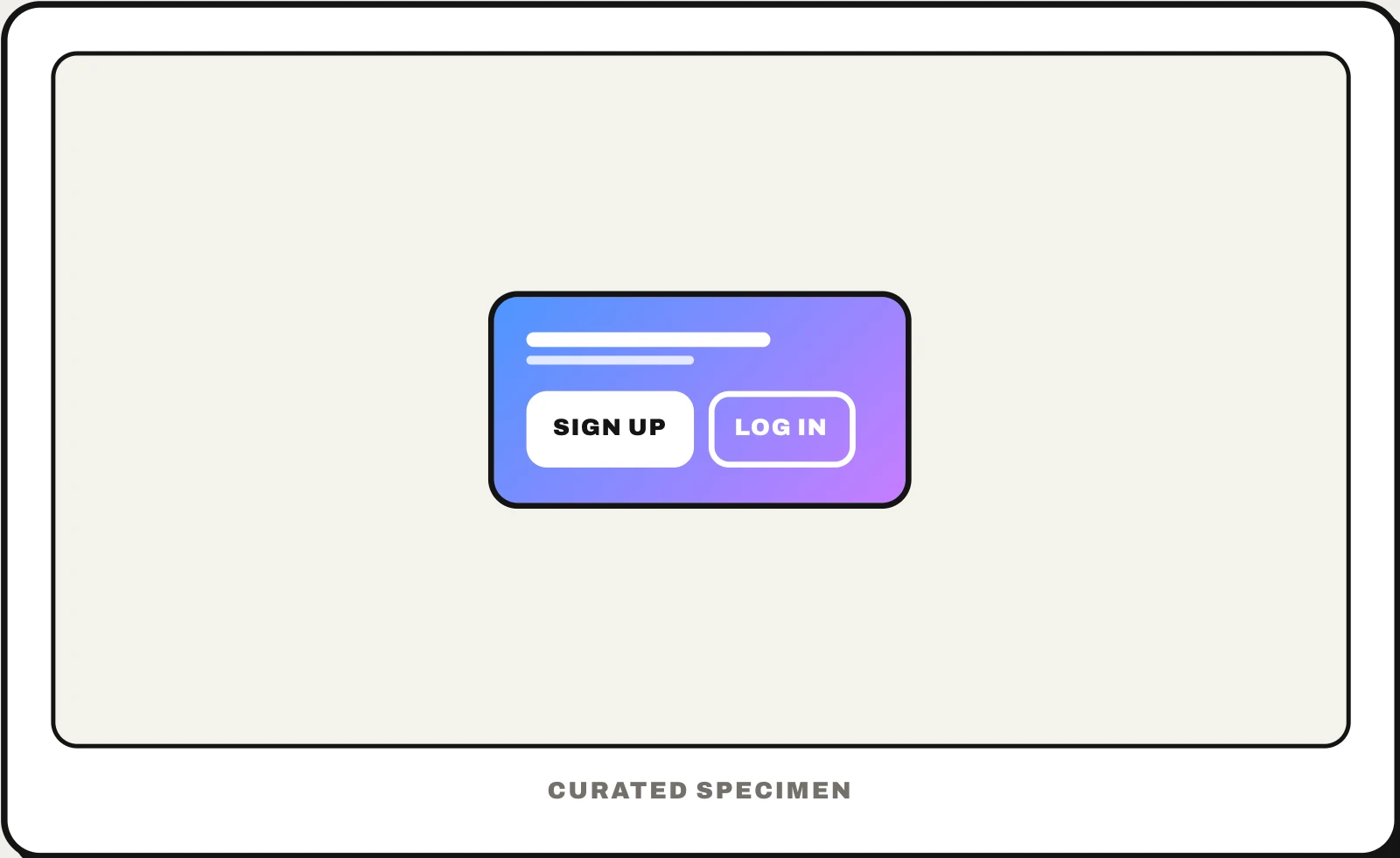
Also called: outline button, outlined button, transparent button, hollow button, bordered button.
You might call it
- “the see-through button with just a border”
- “the outlined button next to the main one”
- “the transparent button on the big image”
- “the hollow button”
- “the button with no fill”
…its name is Ghost button.
Common questions
What is a ghost button?
A button with a transparent background and a thin outline, so whatever is behind it shows through. It became popular on landing pages laid over full-screen photos, and is now mostly used for the second of two choices, next to a solid button for the main one. Because it is easy to miss, it should not carry the action you most want people to take.
Ghost button vs outline button: what is the difference?
On most websites and in design articles they are the same thing: transparent with a border. In design systems such as Carbon and shadcn/ui the words split: the bordered one is the outline (or tertiary) button, and the ghost button has no border at all, just a label that gains a light background on hover. Check which your component library means before you ask an AI for one.
Ghost button vs text button: what is the difference?
Material Design’s text button is a label with no border or fill, used for the least important actions. Where a design system uses “ghost” for its borderless style, the two are close: a ghost button keeps a button’s padding and gains a background on hover. If “ghost” means the outlined style, it is one step more visible than a text button.
In code
| Web (CSS) | background: transparent border: 2px solid currentColor |
|---|---|
| Jetpack Compose | OutlinedButton TextButton |
| Android (Views) | Widget.Material3.Button.OutlinedButton |
| Flutter | OutlinedButton TextButton |
| SwiftUI | No outline style (on iOS .bordered is a tinted fill): add a stroked RoundedRectangle as an overlay |
| React (shadcn/ui) | variant="outline" variant="ghost" |
| Carbon | kind="tertiary" kind="ghost" |
Prompt for your AI coding tool
Add a ghost button beside the primary call to action: the same height, padding and corner radius as the solid button, a transparent background, a 2px border and label in the brand colour, and a tinted fill on hover and press. Use it only for the secondary action, never the main one; over photos, check the label reaches 4.5:1 against what is behind it and the border stays clearly visible, and keep a visible focus ring.
More UI words to use when vibe coding →