Language selector
/LANG-gwij suh-LEK-ter/ · noun · NAV pattern · #136
The control that switches a website or app to another language: usually a globe icon or the current language’s name (English ▾) in the header or footer, opening a list where each language is written in its own name and script, such as Deutsch, Español and 日本語. Flags are best avoided, since they stand for countries rather than languages, and switching should keep you on the same page.
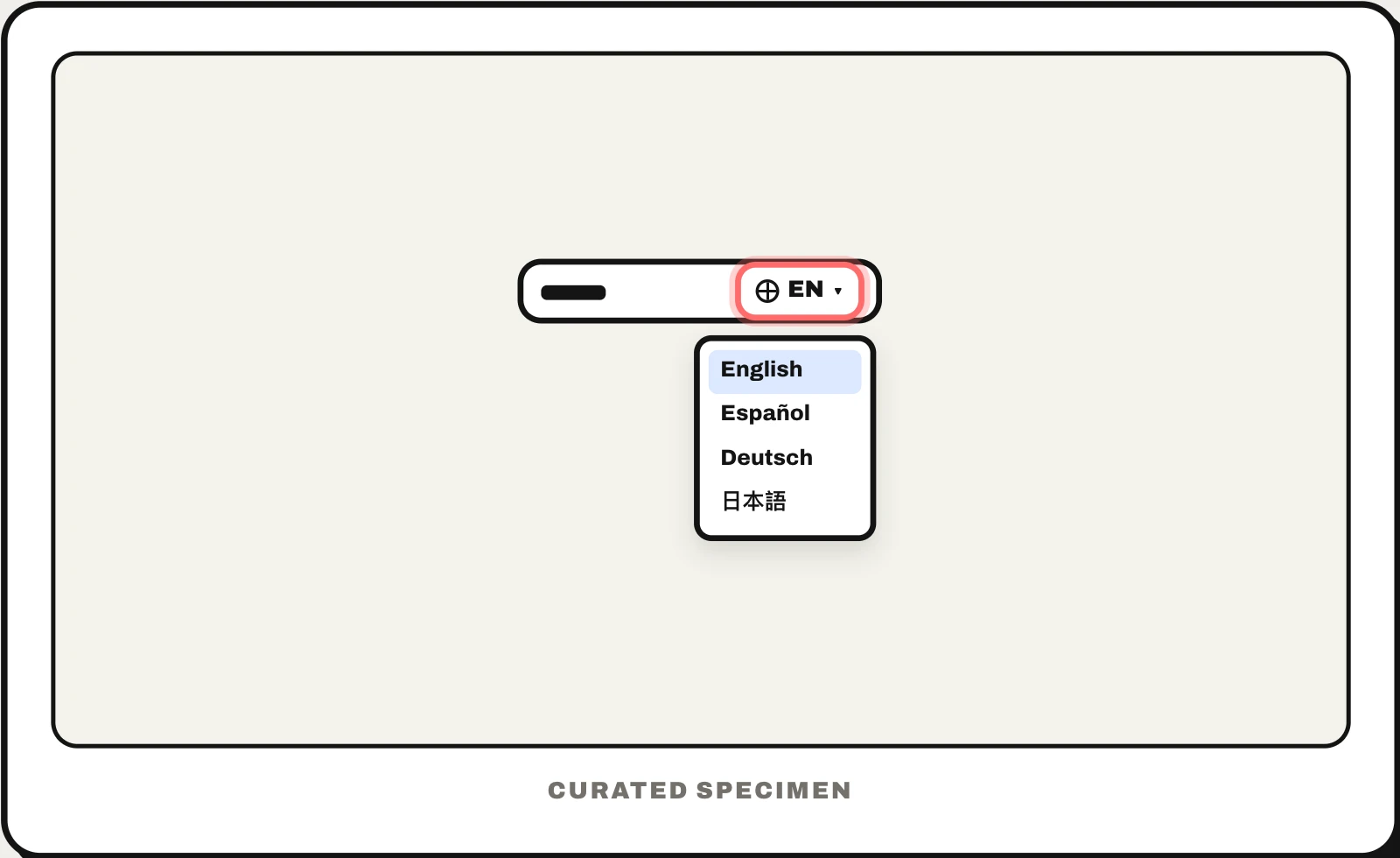
Also called: language switcher, language picker, language dropdown, language selection, language menu.
You might call it
- “the globe icon that changes the language”
- “the language dropdown in the corner”
- “the English ▾ menu at the top of a site”
- “the button to change the website language”
…its name is Language selector.
Common questions
What is a language switcher?
The control on a website or app that changes the language of its text, also called a language selector or language picker. It is usually a globe icon or the current language’s name in the header or footer that opens a list of languages. A good one keeps you on the same page and lists every language in its own name, such as Français rather than French.
Should a language selector use flags?
Usually not. Flags stand for countries, not languages: Spanish is spoken in more than twenty countries, and Switzerland has four national languages, so any flag you pick leaves someone out. Write each language’s own name instead (Español, Deutsch, 中文). Flags make sense only when you are switching country stores, where prices and delivery change as well.
What icon is used for a language selector?
Most often a globe, or the translate icon that pairs a Latin and a Chinese character (文A); Material Design calls that one translate. Showing the current language’s name or code beside the icon (English, EN) helps people recognise it, especially those who cannot read the page’s current language.
In code
| Web (HTML) | <a hreflang lang> <link rel="alternate" hreflang> |
|---|---|
| Android 13+ | AppCompatDelegate.setApplicationLocales() LocaleManager |
| iOS | UIApplication.openSettingsURLString Apps follow the system language; people pick a per-app language in Settings |
| Flutter | MaterialApp.locale supportedLocales |
Prompt for your AI coding tool
Add a language selector to the site header: a button with a globe icon and the current language’s short name (EN ▾) that opens a menu listing each language in its own name and script — English, Español, Deutsch, 日本語 — with the current one checked. Switching keeps the user on the matching page and remembers the choice, and the site never redirects automatically by IP or browser language; links to every language on every page let people choose. Give each option lang and hreflang attributes, add rel="alternate" hreflang links in the head, and do not use flags.
More UI words to use when vibe coding →
Related patterns
All the parts of a website, named →